Setup from your site
Paste your site address. Get a draft help center.
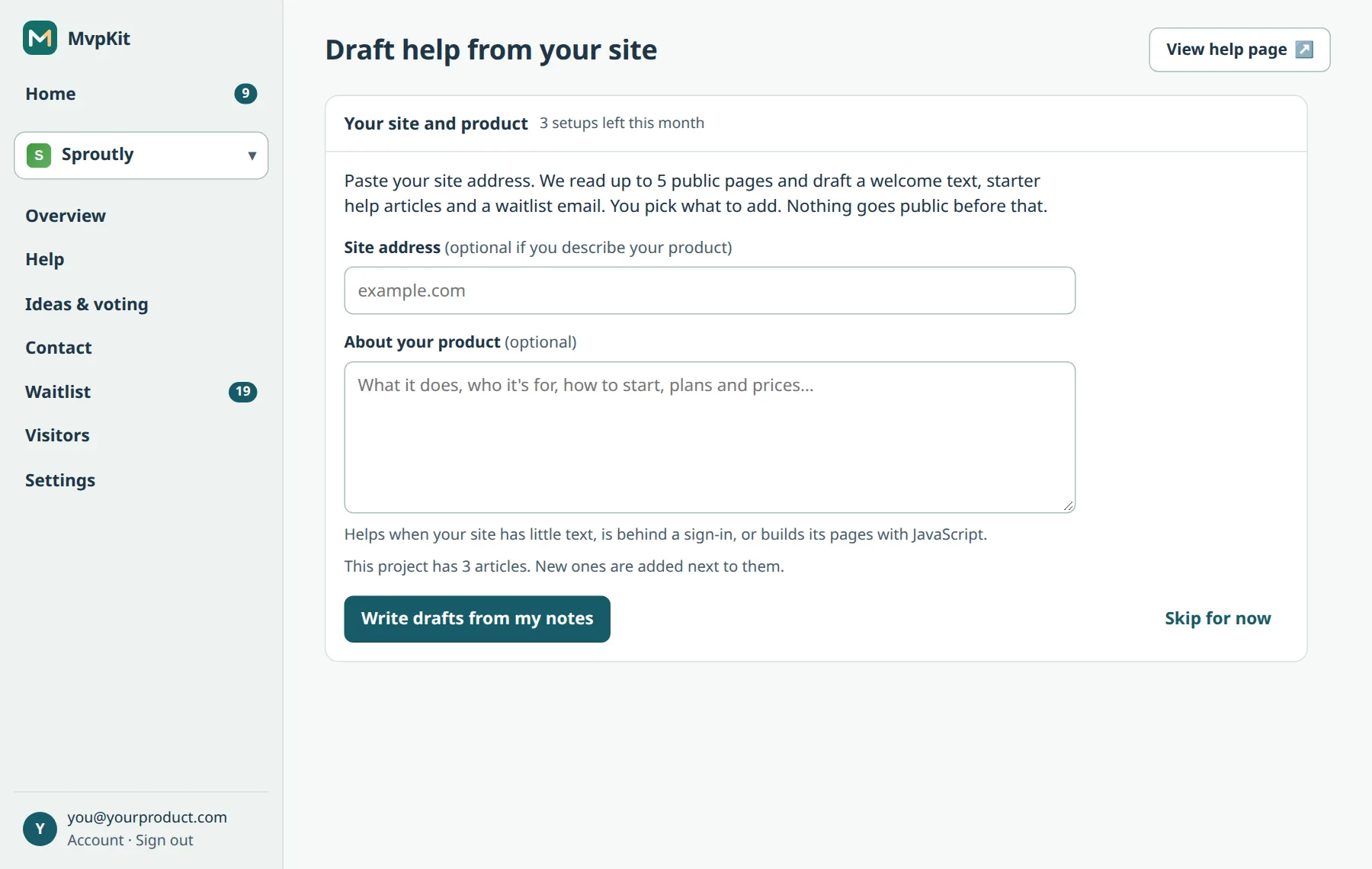
Starting a help center is mostly a blank page. MvpKit reads up to five public pages of your site and drafts a welcome text, starter help articles and a waitlist welcome email. You pick what to add, and nothing goes public before that.
Free for one project. Every plan includes help, contact form, support email, ideas with voting and waitlist. Pro's published price is $29/month total for up to five projects; Studio is $79/month for up to 20.
Launch offer: sign up before January 1, 2027 to keep the founding price (Pro $15/month, Studio $39/month) once billing starts. Until then, paid-plan features are temporarily free, with no card. We will email at least 30 days before charging. See plans and limits.
How it works
- Add a project with its site address, and setup starts by itself. Later, press Draft from your site on the Help screen or Overview.
- Use your public site address, or describe your product in a few sentences, or both.
- Wait about a minute while it reads your pages, plans topics and writes articles. You can leave the page: the drafts wait for two hours.
- Tick the articles you want, and decide on the welcome text and the waitlist email. Only what you pick is added.
When your site has little text
If your site is behind a sign-in, builds its pages with JavaScript or says little, describe your product in the box: what it does, who it is for, how to start, plans and prices. The drafts are written from that.
Read before you rely on it
The AI only knows what your site says, and it can be wrong. Articles you add show on your help page right away, so read each one and fix what isn't right. New articles are added next to the ones you already have.
Limits
Free accounts get 3 setups a month, Pro 15 and Studio 40. See all AI limits.
Get your first help articles in a minute. Create a free account.
Product details checked October 27, 2026. Screens from our demo account.