Support inbox
One inbox for form messages and support emails.
Everything customers send to a product lands in its inbox: contact form messages from your site and help page, and emails to its support address. You reply from MvpKit, their answer comes back into the same conversation, and Home shows what is new across all your products.
Free for one project. Every plan includes help, contact form, support email, ideas with voting and waitlist. Pro's published price is $29/month total for up to five projects; Studio is $79/month for up to 20.
Launch offer: sign up before January 1, 2027 to keep the founding price (Pro $15/month, Studio $39/month) once billing starts. Until then, paid-plan features are temporarily free, with no card. We will email at least 30 days before charging. See plans and limits.
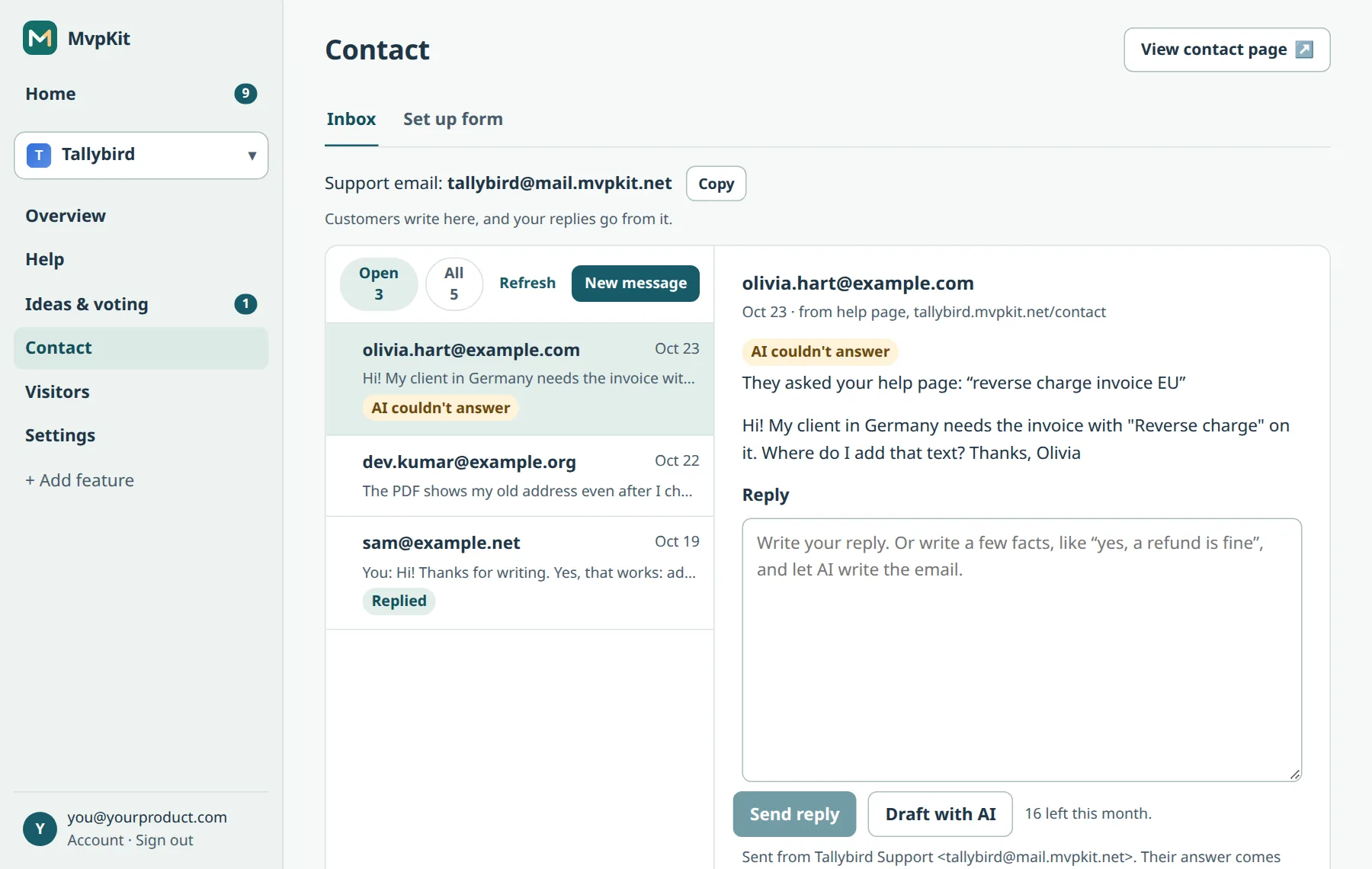
What you can do with a message
- Reply from MvpKit. The reply goes out from the product's support address. When the customer answers, it joins the same conversation.
- Draft with AI. AI writes a reply from your help articles, or from a few facts you type. You edit it and send. More about reply drafts.
- Mark as done. The Open list shows only what still needs you; All shows everything.
- Turn into help article. A good question becomes an article draft, and you can add its link to your reply.
- Open in your email app or copy the address, if you prefer to answer there.
Write first
Press New message to start a conversation yourself: follow up with a customer, or answer someone who wrote to you on social media. It goes out from the same support address, and the answer comes back to the inbox.
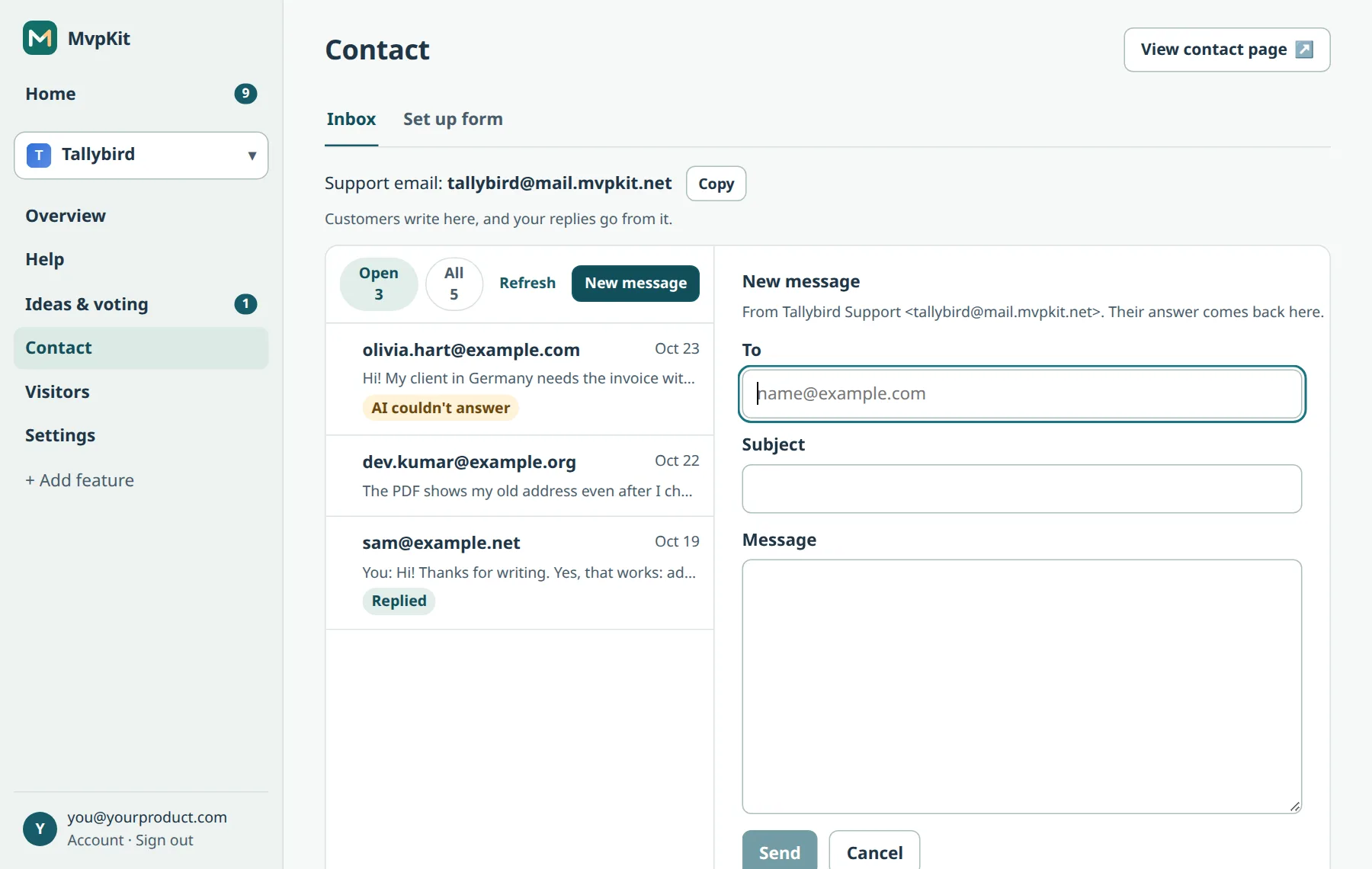
What the inbox tells you
- Where the message came from: the contact form on your site, your help page, or email.
- What they asked first: if the visitor searched your help page before writing, you see the question and that the AI couldn't answer it.
- Who they are in your app: your site can pass the signed-in user's email and user ID with the form.
- What happened to your reply: Replied, Their reply, or Not delivered. MvpKit stops sending to an address that bounced or marked a reply as spam.
Limits
Up to 50 replies and 20 new conversations a day per account. These limits keep your support address out of spam folders. Each new message also sends an alert to your account email.
Is it the right fit?
It fits products where you, or a few people, answer customers by email. It has no agent seats, assignments, SLAs or live chat. If you need those, a full helpdesk fits better.
Give your product an inbox today. Create a free account.
Product details checked October 27, 2026. Screens from our demo account.